Type “AI Pinterest pin generator” into Google and you’ll find dozens of tools that promise scroll-stopping pins in seconds. Most of them do the same thing: put text on an image. That’s useful, but it’s maybe 20% of what a Pinterest campaign needs.
If you use Pinterest for traffic, especially affiliate traffic, the question isn’t “can it make a pretty pin?” It’s “does it help me publish the right pins, consistently, without breaking Pinterest’s rules?” Here’s what to look for in 2026, and how the two main types of generators differ.
Key Takeaways
- There are two kinds of AI pin generators: keyword-first (start from a topic) and product-first (start from a product link). Pick the one that matches how you earn.
- The features that matter most are angles, copy and keywords, 2:3 output, video pins, and a clean path to publishing (CSV or scheduler).
- Pinterest labels AI-generated images “AI modified” and lets users see less AI content, so quality and usefulness matter more than volume.
- Check how a tool handles AI costs: bring-your-own-key tools are cheap per pin but you pay the provider.
Keyword-First vs Product-First Generators
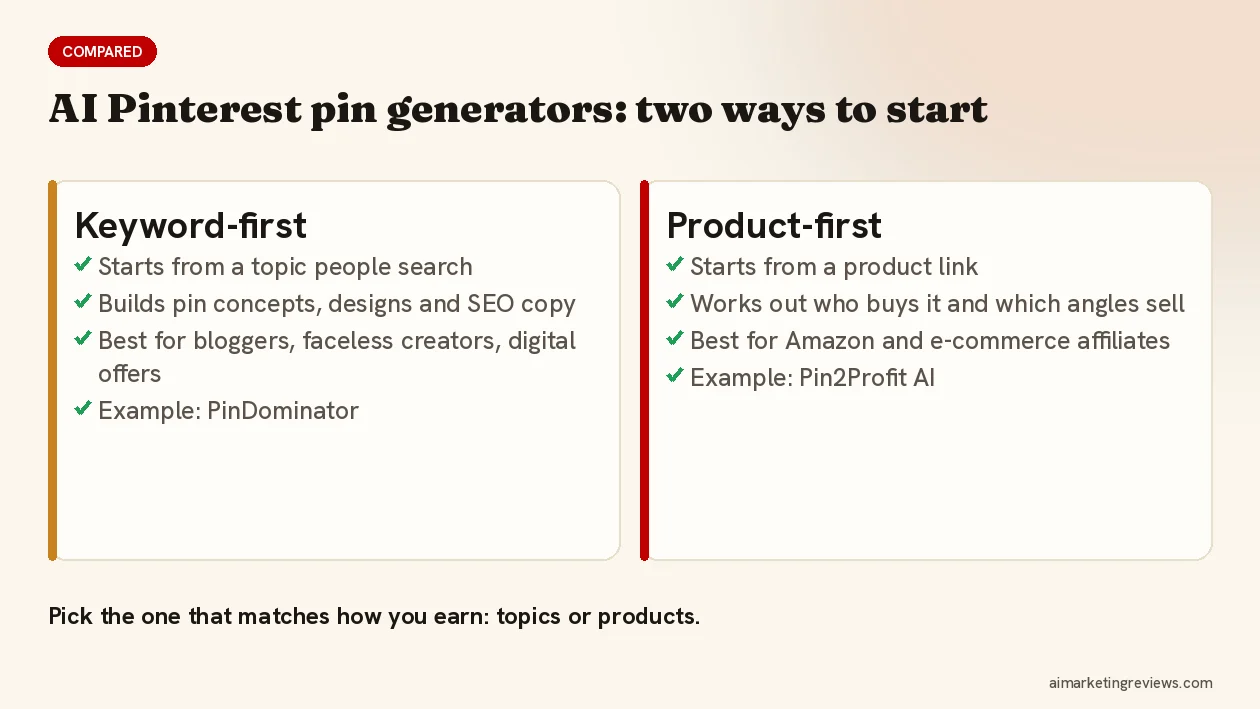
Keyword-first
You enter a topic people search for (“cozy reading nook ideas”) and the tool builds pin concepts, designs and SEO copy around it. This fits bloggers, faceless creators and anyone promoting content, lead magnets or digital offers, because the topic comes first and the link second.
My own tool, PinDominator, an AI Pinterest pin generator built for faceless creators and affiliates, works this way: one keyword in, a batch of image and video pins with SEO titles and descriptions out, exported as a Pinterest-ready CSV or scheduled through Zernio or Buffer.
Product-first
You paste a product link and the tool works backwards: what the product does, who buys it, which angles sell it, then the pins. This fits Amazon Associates and e-commerce affiliates, where the product is fixed and you need many reasons to pin it.
The newest example is Pin2Profit AI, launched on October 16, 2026. It takes an Amazon product and builds a whole campaign: a product analysis, several promotion angles, pins in seven styles (lifestyle, problem-solution, spotlight, curated finds, how-to, comparison, seasonal), video pins, copy, keywords, an affiliate page, a schedule and a CSV. I’ve put together a Pin2Profit AI review of the Amazon-to-Pinterest pin generator with my bonus. Here’s the walkthrough of one full campaign:
7 Things to Check Before You Buy Any AI Pin Generator
1. Does it give you angles, not just designs?
Pinterest is a search engine for ideas. The same product needs a gift pin, a how-to pin and a comparison pin to show up for different searches. A tool that only restyles one image gives you one search.
2. Does it write titles, descriptions and keywords?
Pinterest uses your title, description and topic tags to decide who sees a pin. Titles can be 100 characters but only about the first 40 show reliably, so the keyword needs to come first.
3. Does it output the right format?
Pinterest recommends 2:3, about 1000 x 1500 pixels. Taller images can get cut off.
4. Can it make video pins?
Video pins are worth having. Pinterest recommends 15 to 60 seconds for organic video. Check whether a tool makes real video files or only “video concepts” you still have to produce.
5. How do pins get onto Pinterest?
Look for a Pinterest-ready CSV for bulk upload (up to 200 pins per file), a scheduler integration, or an officially approved Pinterest connection. Avoid anything that asks for your Pinterest password or uses unapproved automation, which Pinterest’s guidelines ban.
6. Does it help you post responsibly?
Pinterest’s rules prohibit repetitive or high-volume affiliate pins and ask for moderation. Good tools spread pins over days and make each pin different; bad ones encourage dumping hundreds of near-duplicates.
7. What does each pin really cost?
Many tools now run on your own AI key. Text can run free on Google’s Gemini free tier. Images cost a few cents each (Google lists its Nano Banana image models as paid-only in the API), and video costs more per clip. Check what’s included and what you pay the AI provider directly.
A Word on AI Labels
Since April 2025 Pinterest has shown an “AI modified” label on images it detects as AI-generated or AI-edited, and since October 2025 users can choose to see less AI content in some categories. That doesn’t make AI pins pointless; it makes lazy ones pointless. Pins that are useful (a real comparison, a clear how-to, an honest gift list) still earn saves and clicks.
Which Type Should You Choose?
- You promote content, lead magnets or digital offers: go keyword-first.
- You promote Amazon or other physical products: go product-first.
- You do both: many affiliates end up using one of each, since the starting point is different.
More AI marketing tools I’ve reviewed, with bonuses, are on Ben’s Bonus Offers.
FAQ
What is the best AI for Pinterest pins?
It depends on your starting point. If you start from topics, a keyword-first generator fits; if you promote products, a product-first tool that builds angles from the product link fits better. Either way, look for copy, keywords, 2:3 output and a clean way to publish.
Are AI-generated pins allowed on Pinterest?
Yes. Pinterest may label them “AI modified”, and users can choose to see less AI content, but AI pins aren’t banned. They need to be original and useful.
Is there a free AI Pinterest pin generator?
Some tools have free tiers, and several run on your own AI key, where the text side can be free on Google’s free tier. Images cost a few cents each through the API, and video pins cost more per clip.
Disclosure: PinDominator is my own product. Some other links in this post are affiliate links, and I may earn a commission if you buy through them at no extra cost to you. Pinterest facts are from Pinterest’s newsroom, help center and guidelines as of October 2026.

