
Claude Code went from version 2.1.277 to 2.1.302 between mid-September and mid-October 2026. Most of the changes are small fixes. A handful change how your agent behaves when nobody is watching, and one of them changes what it’s allowed to do without asking.
If you run Claude Code for real work, especially scheduled or unattended jobs, here are the changes that matter, what they do and how I’d configure them. Versions refer to the official Claude Code changelog.
Key Takeaways
- Auto mode is now the default for interactive sessions with no permission mode set (v2.1.284). Set your mode explicitly.
- Hooks can fail closed with
"onFailure": "block"(v2.1.295), so a crashed safety check no longer lets the action through. - Claude Mods (v2.1.287, October 1) let plugins hook into Claude Code itself: new panels and commands, plus guards that can rewrite or stop tool calls.
- New retry watchdog settings stop unattended runs from hanging at usage limits.
- Claude Haiku 5.5 is the default Haiku from October 7: $0.10 input and $0.50 output per million tokens for prompts up to 100K tokens.
1. Auto Mode Is Now the Default
Since v2.1.284 (late September), interactive terminal and VS Code sessions start in auto mode when no permission mode is configured. In auto mode, a classifier decides which actions can run without asking you. Since v2.1.285, claude -p and the Python Agent SDK also start in auto mode when they run on a third-party provider or with telemetry turned off.
For most people that’s convenient. For anyone running agents on a server, it’s worth a deliberate decision. Set the mode you want in settings.json:
{ "permissions": { "defaultMode": "default" } }If you never want auto mode, use the disableAutoMode setting. For scripted runs, the --permission-mode flag still overrides the default.
2. Hooks That Fail Closed
Hooks are scripts Claude Code runs at fixed points, for example before every Bash command. Many people use them as guards: block rm -rf, block access to .env, block pushes to main. Until now, if the hook itself crashed or timed out, Claude Code continued as if it had passed.
Version 2.1.295 adds an onFailure field with two values, "continue" (the default) and "block":
{"hooks":{"PreToolUse":[{"matcher":"Bash","hooks":[{"type":"command","command":"node","args":["${CLAUDE_PROJECT_DIR}/.claude/hooks/check-command.js"],"onFailure":"block"}]}]}}With "block", a failure counts as a block: the hook can’t start, exits with a code other than 0 or 2, returns an HTTP error, times out or returns invalid output. It applies to command and HTTP hooks, not to MCP or prompt hooks, and it has no effect on Stop, SubagentStop or async hooks. Full details are in the hooks documentation.
My rule: every hook that exists to stop something gets "onFailure": "block". A guard that fails open isn’t a guard.
3. Claude Mods: Plugins That Change Claude Code Itself
Mods arrived in v2.1.287 on October 1. A skill tells Claude how to do a job, and an MCP connector plugs Claude into another app. A mod is different: it’s a plugin made of event handlers that run inside Claude Code. It can draw panels and bands in the interface, add slash commands, and watch, rewrite or stop tool calls, prompts and turns.
You don’t need to write one by hand. Describe what you want and Claude Code’s built-in plugin-authoring skill builds it. Useful first mods for marketers and agent builders:
- A guard that pauses destructive commands until you approve them.
- A brand-voice and disclosure check on every draft Claude writes.
- A cost panel that shows what each subagent is spending.
One warning: mods run with your full permissions. Install them only from authors you trust, and check a downloaded mod with claude plugin validate ./some-mod before installing. If something misbehaves, start Claude Code with --safe-mode. The mods documentation covers the structure.
4. Unattended Runs No Longer Hang at Usage Limits
An overnight job that hits a rate limit or your plan’s usage limit could sit and wait for hours. Two new environment variables fix that (values in milliseconds):
CLAUDE_CODE_RETRY_WATCHDOG_MAX_WAIT_MS(v2.1.295) caps how long Claude Code waits on 429 and 529 errors.CLAUDE_CODE_RETRY_WATCHDOG_MAX_USAGE_LIMIT_WAIT_MS(v2.1.301) ends the request when a usage limit resets too far in the future, instead of waiting for it.
The job fails fast. Combine that with a notification and you’ll know about it the next morning instead of finding a run that never finished.
5. Idle Compaction
Claude Code’s prompt cache expires after about an hour. Come back to a long conversation after that and the whole context has to be processed again, which eats usage. Since v2.1.299, a terminal conversation over 200K tokens that sits idle for about 54 minutes is compacted before the cache expires.
If you’d rather keep full context, set "idleCompaction": false in settings, or raise the threshold with CLAUDE_CODE_IDLE_COMPACT_MIN_TOKENS. Version 2.1.302 added a toggle in /config.
6. Claude Haiku 5.5 Becomes the Default Haiku
Anthropic released Claude Haiku 5.5 on October 7, 2026. It costs $0.10 per million input tokens and $0.50 per million output tokens for prompts up to 100K tokens ($0.50 / $2.50 above that), has a 1M-token context window, and is the first Haiku with an effort setting. Anthropic puts it at about 75% cheaper than Haiku 4.5 on average.
That price makes always-on work realistic: sorting comments, triaging leads, classifying content, summarizing research. The usual pattern is to let the cheap model do the bulk and hand the final step to Sonnet or Opus.
A practical warning if you call the API from n8n, Make or your own scripts: on Haiku 5.5, the temperature, top_p, top_k and budget_tokens parameters, as well as assistant prefill, can return 400 errors. Remove them before you switch the model name.
Smaller Changes Worth Knowing
- AGENTS.md support (v2.1.277): Claude Code reads
AGENTS.mdwhen there’s noCLAUDE.md. If you have both, add@AGENTS.mdinside yourCLAUDE.md. - One-command plugin installs (v2.1.292):
claude plugin install <plugin> --marketplace <source>adds the marketplace and installs in one step. - Scheduled tasks and daylight saving (v2.1.299): tasks no longer fire early or twice during the repeated hour when clocks go back.
- Plugin evals:
claude plugin eval(added in September) runs your plugin’s test cases with and without the plugin and reports the difference. It makes real model calls, so set--max-cost-usd.
My Setup Checklist for Unattended Claude Code
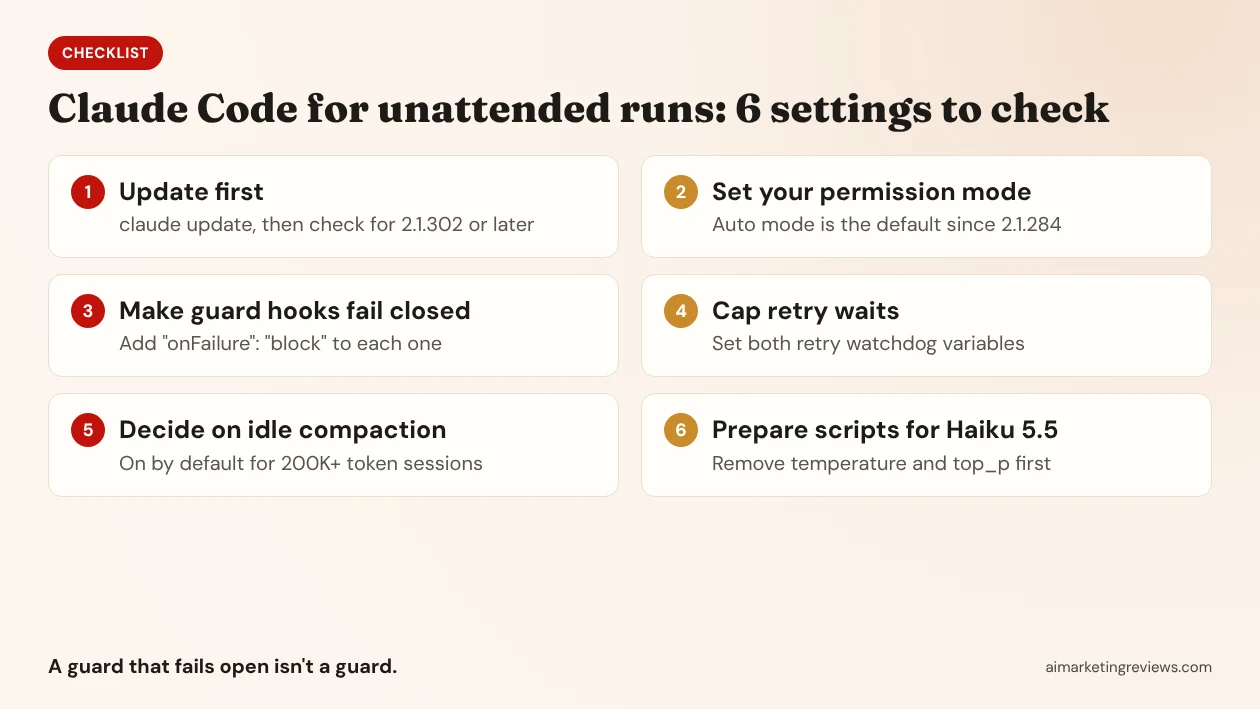
- Update with
claude updateand confirm you’re on 2.1.302 or later. - Set
permissions.defaultModeexplicitly in every project that runs without you. - Add
"onFailure": "block"to every guard hook. - Set both retry watchdog variables on the machine that runs scheduled jobs.
- Strip
temperatureandtop_pfrom your own API calls before moving them to Haiku 5.5.
Here’s what steps 2 to 4 look like together in a project’s .claude/settings.json. The watchdog values are examples (10 and 30 minutes); pick limits that fit your jobs.
{
  "permissions": { "defaultMode": "default" },
  "env": {
    "CLAUDE_CODE_RETRY_WATCHDOG_MAX_WAIT_MS": "600000",
    "CLAUDE_CODE_RETRY_WATCHDOG_MAX_USAGE_LIMIT_WAIT_MS": "1800000"
  },
  "hooks": {
    "PreToolUse": [
      {
        "matcher": "Bash",
        "hooks": [
          {
            "type": "command",
            "command": "node",
            "args": ["${CLAUDE_PROJECT_DIR}/.claude/hooks/check-command.js"],
            "onFailure": "block"
          }
        ]
      }
    ]
  }
}
The hook script itself is yours to write: exit with code 2 to block a command, 0 to allow it. With "onFailure": "block", a crash or timeout in that script now blocks too.
I go through hook configs and agent setups like this with members in AI Agent Profit Lab, my community for people building with AI agents and automation.
FAQ
What are Claude Code mods?
Mods are plugins made of event handlers that run inside Claude Code. They arrived in version 2.1.287 on October 1, 2026, and can add interface panels and slash commands or watch, change and stop tool calls and prompts. You can have Claude build one from a plain-language description.
Is Claude Code auto mode on by default?
Since version 2.1.284, interactive sessions start in auto mode when no permission mode is configured. Set permissions.defaultMode in your settings, or use disableAutoMode, to choose otherwise.
How much does Claude Haiku 5.5 cost?
$0.10 per million input tokens and $0.50 per million output tokens for prompts up to 100K tokens, and $0.50 / $2.50 above that, according to Anthropic.
Disclosure: AI Agent Profit Lab is my own community. Version numbers and behaviors are taken from the official Claude Code changelog and documentation as of October 17, 2026. Claude Code updates often, so check the changelog before changing production setups.

