
Most AI content tools still force you into the same annoying routine.
You find something useful on a page, copy the text, open another tab, paste it into ChatGPT or another tool, rework the output, then move it again into your blog, social post, or notes app.
It works, but it is clumsy.
Browser Pilot tries to remove that friction.
Instead of jumping across tabs all day, it lets you highlight text on a page, right click, run a saved prompt, and generate useful output inside the browser workflow you are already in. That is the real pitch, and honestly, it is a solid one.
If your daily work involves product reviews, affiliate content, summaries, tweet threads, quick blog drafts, or other repeatable writing tasks, Browser Pilot looks like the kind of lightweight tool that can save real time.
Check Browser Pilot and the bonus page here.
Here is the demo video used for this review:
What Browser Pilot actually does
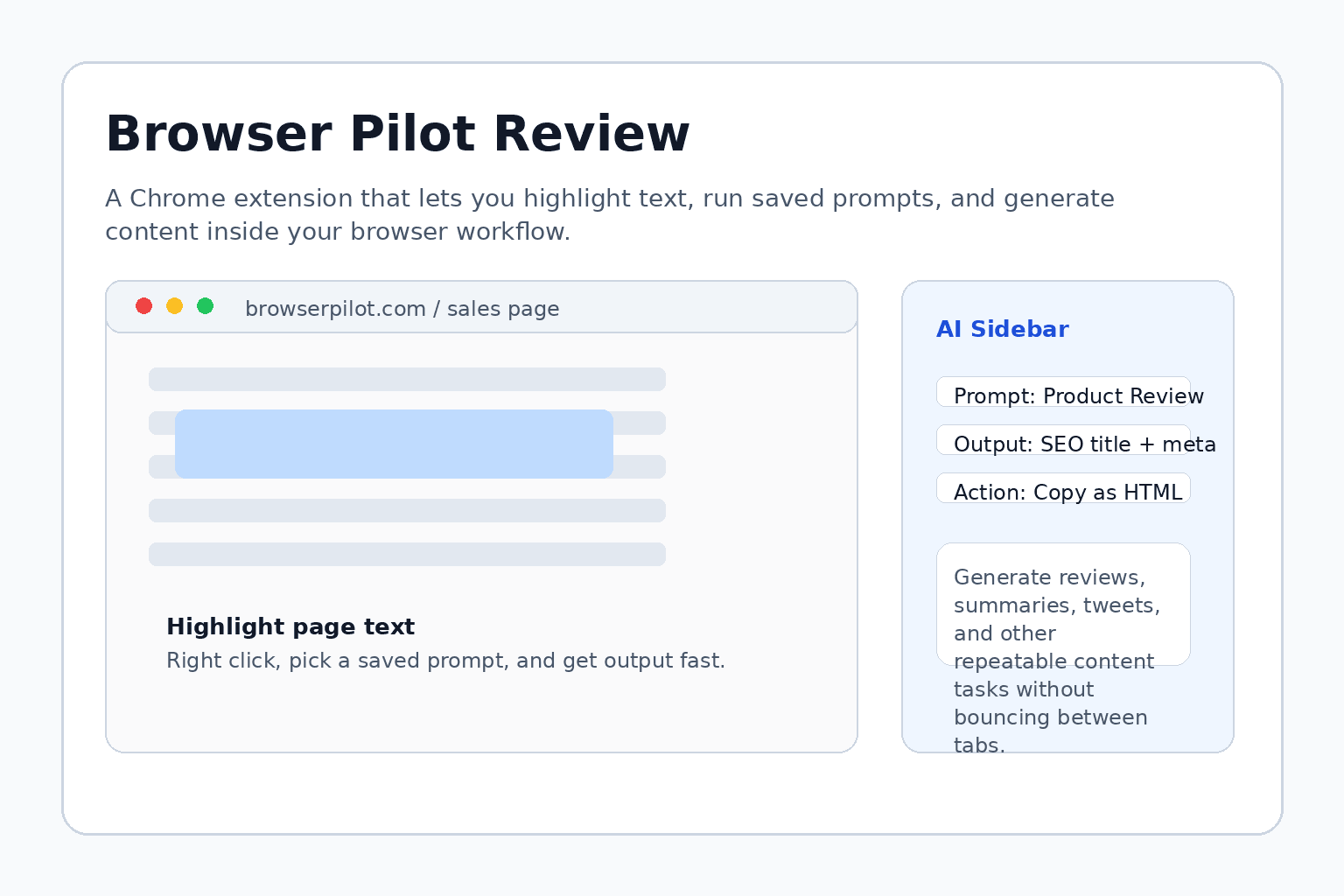
At its core, Browser Pilot is a Chrome extension that lets you work directly from the text already sitting in front of you on a web page.
The flow is simple:
- highlight text on a page
- right click
- choose a saved prompt
- generate output in the sidebar
- copy the result into your blog, social post, or document
That may sound small, but this is exactly the kind of micro-friction that slows content work down. Removing two or three repetitive steps from a task you do twenty times a day matters more than people think.
It is a bit like having a pocket knife for browser-based content work. Not glamorous, not magical, just useful when you keep reaching for the same actions over and over.
Where Browser Pilot looks most useful
Based on the demo, Browser Pilot fits best when you already have source material and want to transform it fast.
Some obvious use cases are:
- turning sales pages into first-draft product reviews
- turning raw page copy into tweet threads or short social posts
- creating summaries from articles or pages you are researching
- producing quick drafts for affiliate marketing content
- speeding up repetitive content prep without opening a full separate AI workspace
This is where the tool makes the most sense. It does not try to be a giant all-in-one marketing operating system. It is closer to a workflow accelerator.
If that sounds useful, you can see the full Browser Pilot offer and bonuses here.
What stood out in the demo
The strongest part of the demo is how fast the workflow looks once prompts are already set up.
In the example, text from a sales page is highlighted, a product review prompt is run, and the extension generates review copy with an SEO title and meta description. After that, the content is copied into Blogger as HTML, cleaned up, and published.
There is also a Twitter-style workflow shown, where the same underlying page text is turned into a ready-to-use multi-post thread outline.
That is the right angle for a tool like this. The value is not raw intelligence alone. The value is reducing context switching.
That is an old software lesson most AI tools still have not fully learned. The best workflow tools do not just generate output. They remove the annoying gap between where the work starts and where the work gets finished.
How this compares to the usual AI content routine
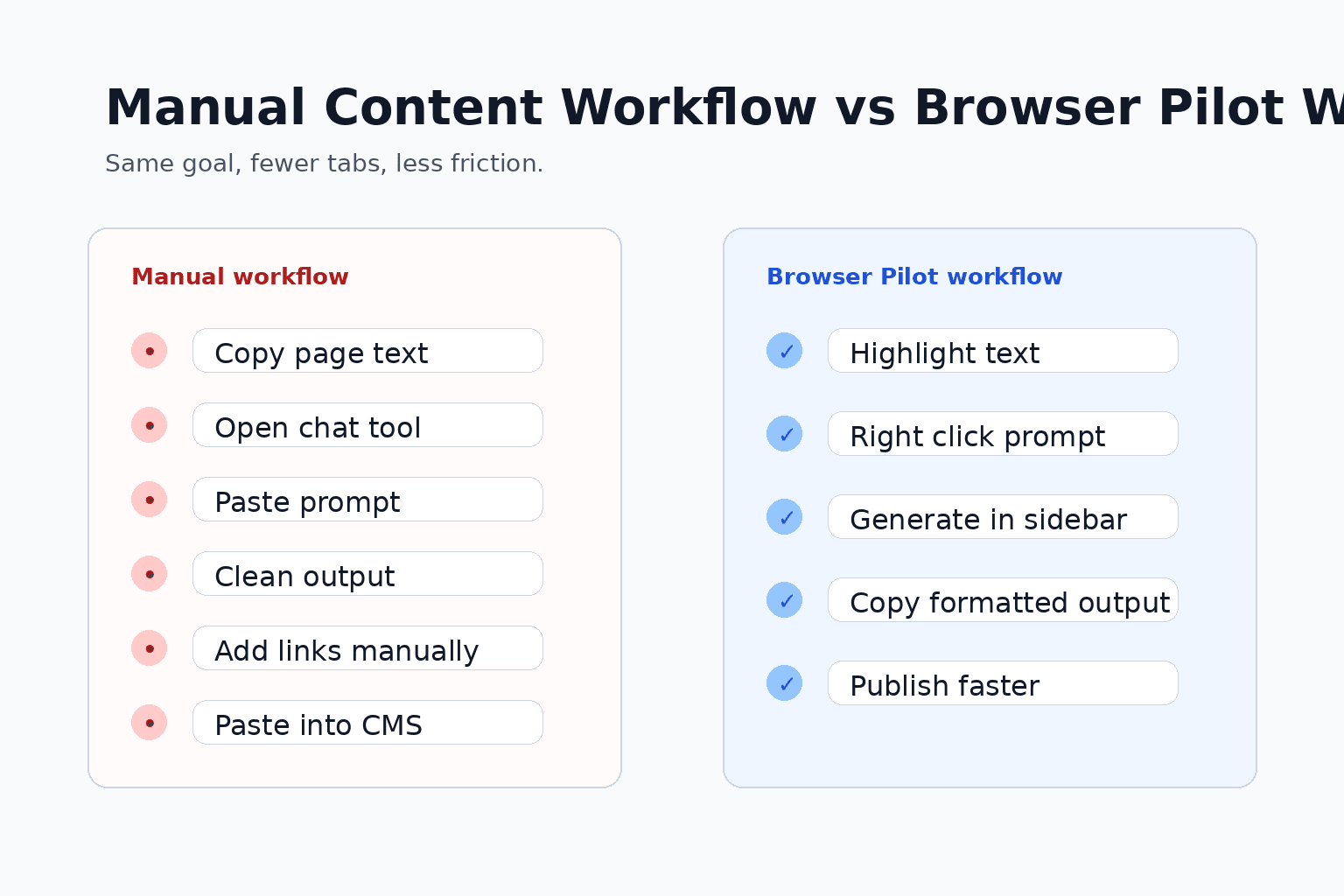
Without a tool like this, the average content workflow looks something like this:
- copy page text
- open a chatbot tab
- paste the text
- paste or type the prompt
- wait for output
- copy it again
- move it into the final publishing tool
- add links and clean formatting manually
That process is not exactly tragic, but it is messy. And messy workflows quietly waste more time than most people admit.
Browser Pilot does not eliminate every step, but it shortens the chain. For people doing high-frequency content tasks, that can be enough to justify using it.
What buyers should keep in mind
This is not the kind of tool you buy because it has the deepest reasoning model or the fanciest AI branding.
You buy something like this if you want:
- less tab switching
- faster first drafts
- quick prompt reuse inside the browser
- a smoother path from source page to publishable content
If you already have a clean content system and mostly work from full editorial briefs, Browser Pilot may feel too lightweight.
But if a lot of your day starts with existing web pages, research documents, sales pages, or source copy that needs to be transformed into usable marketing content, then the simplicity is part of the value.
Sometimes the winner is not the tool with the biggest feature list. It is the one that removes the most repeated irritation.

The bonus angle
The offer shown in the demo is clearly not just Browser Pilot by itself. There is also a bonus stack around it, including Quick Snap, a prompt builder, a prompt library, an AI agents guide, workflow workbooks, and extra access tied to OTO purchases.
That matters because tools like this tend to be better when they come with usable workflows, not just a login and a shrug.
The more valuable part may actually be the combination of browser prompt execution plus the surrounding prompt assets and workflow shortcuts. That is especially true for affiliates and solo marketers who do not want to build everything from scratch.
See the Browser Pilot bonus stack here.
Final verdict
Browser Pilot looks like a practical Chrome extension for people who do a lot of browser-first content work and want to move faster without adding another bloated tool to the stack.
Its best use case is not replacing your full AI writing setup. It is speeding up the repetitive middle part between finding source material and turning it into usable marketing content.
If that is where you lose time most days, this kind of extension can earn its place very quickly.
Not every useful tool needs to look revolutionary. Sometimes saving a few steps on a task you repeat constantly is the whole point.

